How to setup ZipcodeInfo’s HubSpot Application:
After you’re subscription is live, be sure to complete the rest of your account information here:
How to use the zipcode/address lookup feature:
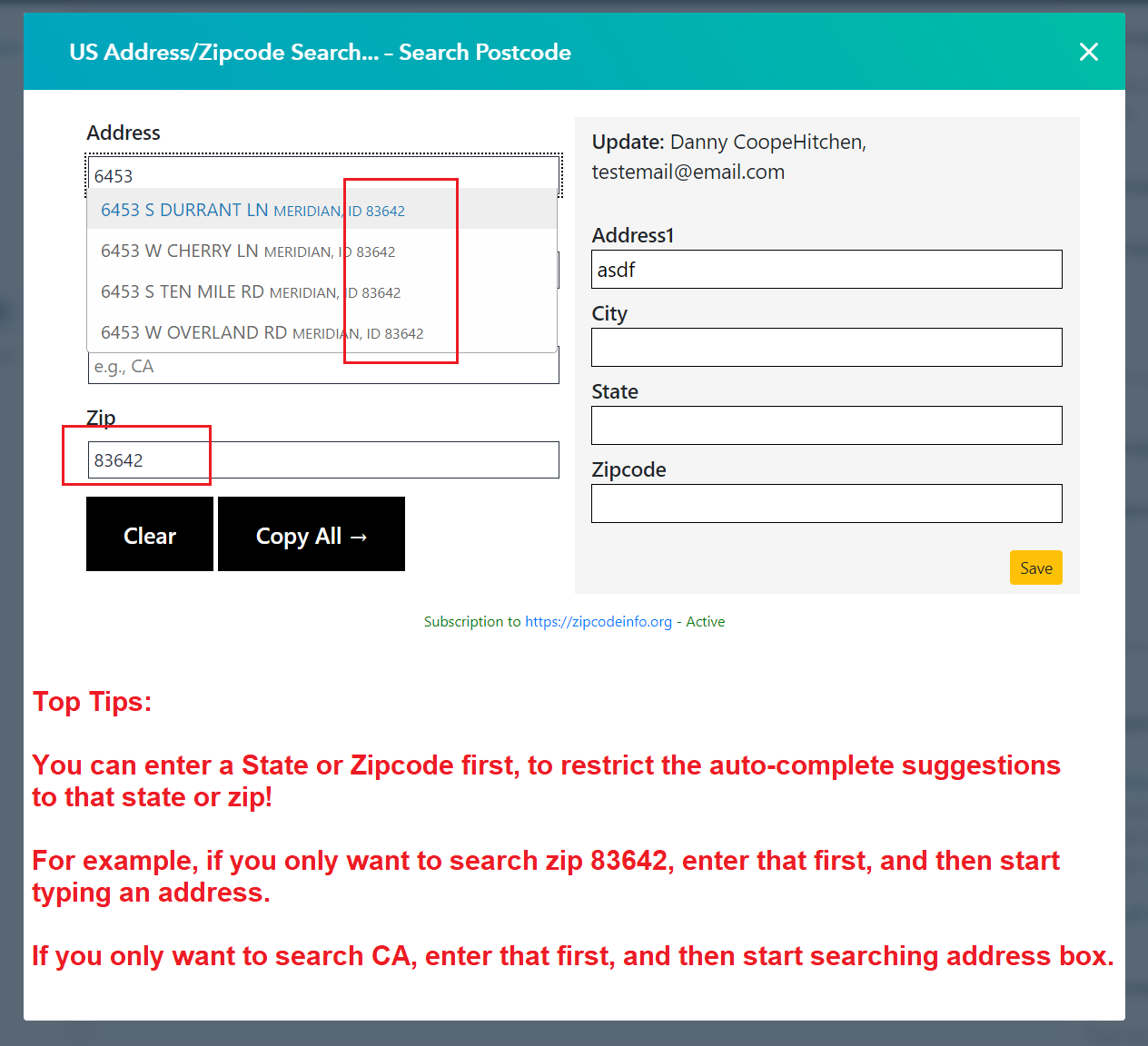
- (see video below) Visit a contact record and click US Address/Zipcode Search
- (see video below) Search an address and select the correct one, click copy all and then save.
Set up US ZIP code & address lookup in HubSpot
Connect the app to your HubSpot portal, map your address fields, and start saving accurate US addresses in a few minutes. Here is the full walkthrough.
Step-by-step
Install from HubSpot
Click Install on HubSpot, choose the portal you want to connect, and approve the requested CRM scopes. You are redirected back to ZipcodeInfo when the connection is complete.
Start your subscription
Pick the $19/month plan and complete checkout. One subscription covers your whole portal with unlimited searches and unlimited users.
Complete your profile
Open your profile to confirm which HubSpot properties each address field maps to - street, city, state, county and ZIP code.
Look up an address
Open any contact or company, click the US Address / Zipcode Search card, search an address or ZIP, pick the match and save.
Mapping your address fields
Each lookup returns the street, city, state, county and ZIP code. Map these to the HubSpot properties you already use - or create custom properties - so the data lands exactly where your reports and workflows expect it.
Accurate US address data
Results cover all 50 states with correct city, state, county and ZIP, so every saved record is consistent and reliable - improving segmentation, routing and reporting across your CRM.
Setup FAQs
Which HubSpot permissions (scopes) are required?
Can I change which HubSpot fields the address is saved to?
The lookup card is not showing on my record - what do I check?
Do I need to install it for each user?
Ready to go?
Install the app and start saving accurate US addresses to HubSpot.